Guides
How to get a good phone capture from your customer
What your customer needs to do your customer to do, and five tips on light, sweep, distance and framing that make remote measurements easier.
What your customer needs to do
When your customer opens a Sightimate scan link, it runs in their phone’s browser. There is no app and no account. The capture takes a few minutes and has two parts:
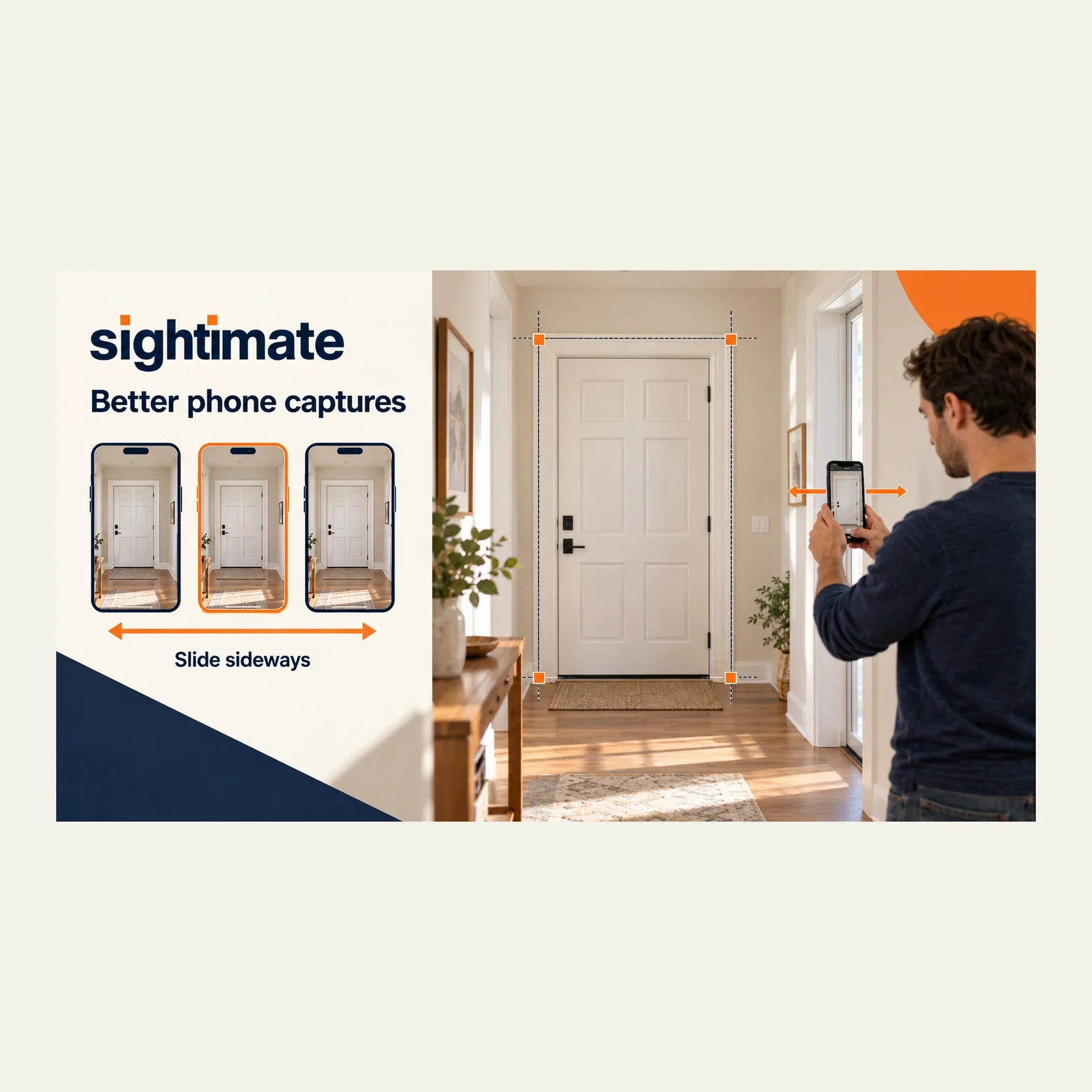
A short calibration sweep. The customer moves the phone slowly sideways while the camera records. This is what lets the scale be worked out automatically, without anyone entering a reference measurement or holding up a card.
Guided photos. On-screen prompts ask for photos of the opening or section from a few positions.
The browser will ask for camera and motion access. Tell the customer to allow both; without motion access the sweep cannot be used. After the upload, processing takes additional time, and you open the result on your computer when it is ready.
Five things that make the biggest difference
1. Light
Even light is better than bright light. Indoors, turn on the room lights. Avoid shooting straight into a window or a glass door when the sun is behind it; the frame turns into a dark silhouette and its edges are hard to pick. Outdoors, daylight is best, and low evening sun throws long shadows over posts and steps.
2. A slow, steady sweep
A fast or uneven movement can affect capture quality. Ask your customer to slide the phone from side to side, keeping it upright, facing the same direction and at the same height. Follow the movement shown on screen; do not turn the phone. Follow the scan’s recovery instructions if another attempt is needed.
3. Distance
Too close and part of the opening is cut off. Too far and the edges become small and blurry. A useful rule for a door or window is to stand back until the whole opening fits with a little wall around it. For a fence, stand back until both end posts of the section are in view.
4. The whole thing in frame
You can only measure what is visible. If you need height, the floor must be in the photos. If you need a threshold step, both sides of the door must be visible. For sill height, include both the floor and the top of the sill. For a gate, both gate posts.
5. Clear edges
Open blinds, pull curtains aside, move a plant away from the frame, lift a doormat if it covers the threshold. Corners and frame edges are what you will pick in the measurement workspace, so they need to be clear.
A message you can send with the link
Hi, here is the link for your measurement scan. It opens in your phone’s browser, no app needed. Please turn on the lights, stand back so the whole door (including the floor) is in view, and move the phone slowly during the first step. It takes a few minutes. Thanks!
Adapt it per trade: for windows, mention avoiding direct sun behind the glass; for fences, mention doing one section or gate per link.
Trade notes
Doors. Include the top of the casing and the floor on both sides. Open the door if the jamb matters. See door measurement software.
Windows. One scan per window, from inside, with the wall and floor in view. See remote window measurements.
Fences. One straight section or gate per link, in daylight, with the ground at the post bases visible. See fence measurement software.
If a capture does not work
Processing may fail or produce a low-confidence result. These results do not use a credit. Follow the recovery instructions shown for the scan: some attempts can use the same link, while others need a new one. Ask your customer to follow the capture tutorial. Review the measurements and estimated uncertainty, then verify final dimensions on site before ordering or installing.
Plan the whole inquiry with the remote site survey workflow and preliminary estimate checklist. For measurement methods and their limits, read measuring from a photo.
Capture questions
Which phones work?
Ordinary iPhone and Android phones, in the browser. An up-to-date browser and camera and motion access are what matter.
How long does it take?
A few minutes for the capture. Processing happens afterwards and takes additional time.
Does the customer need to measure anything?
No. Nobody enters a reference measurement. Scale is worked out from the capture.
Try it on a real job
Start the free trial with 3 credits for 30 days. Send one scan link and see what you can measure before the first visit.